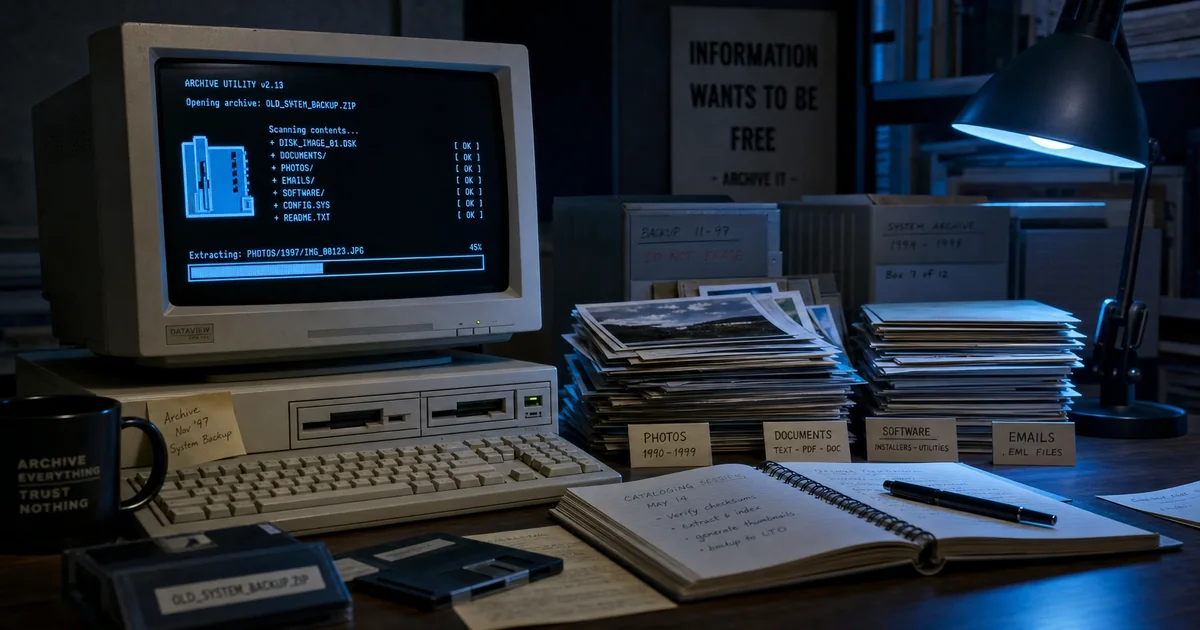
Recovering 20 years from a ZIP: archive catalog at scale
We inherited a problem last quarter. A client handed us a 40-gigabyte ZIP file containing twenty years of their organization's digital history. Project files, documents, images, source code, database exports, communications — twenty years of work compressed into a single archive. The problem: they needed to know what was inside. Indexing thirty-seven million files manually was impossible. That's when we built the vision-assisted catalog pipeline.
The Problem
Twenty years of digital accumulation produces enormous complexity. The ZIP contained:
- Over thirty-seven million individual files
- Hundreds of different naming conventions
- Multiple formats: documents, spreadsheets, images, source code, databases
- Duplicate files with different names
- Versioned copies scattered across folders
- Corruption from incomplete extractions spread throughout
The client needed three things:
- Provenance: Where did each file come from? What year? What project?
- Catalog: What's in there? What's worth keeping?
- Recovery: What's recoverable? What's corrupted?
Manual indexing would take eighteen months. We needed automation.
The Challenge of Scale
Here's what made this difficult:
Naming inconsistency: Twenty years of conventions mean hundreds of different naming patterns. "Project_Report_2023_FINAL_v3.docx" doesn't tell us what project, what year accurately, or whether this is actually the final version.
Format diversity: Thirty-seven million files in thousands of formats — Word, Excel, PDF, images, programming languages, databases. Each format needs different processing.
Corruption spread: Incomplete extractions left corrupted files scattered throughout the archive. A corrupted ZIP file within the larger archive created cascading failures.
No metadata: The ZIP was flat. No internal organization, no timestamps, no provenance data.
Thirty-seven million files exceeds what manual review can handle. We needed a different approach.
The Vision-Assisted Catalog Pipeline
We built a three-phase pipeline:
Phase One: Extraction and Fingerprinting
First, we extracted and generated file fingerprints:
 import hashlib
 import os

def extract_with_fingerprint(archive_path: str, output_dir: str) -> dict:
 """Extract archive and generate fingerprints."""
 extraction = {}

with zipfile.ZipFile(archive_path, 'r') as z:
 for member in z.namelist():
 try:
 # Extract to memory only
 content = z.read(member)

# Generate fingerprint
 fingerprint = hashlib.sha256(content).hexdigest()
 extraction[member] = {
 'size': len(content),
 'fingerprint': fingerprint,
 'extension': os.path.splitext(member)[1]
 }
 except Exception as e:
 extraction[member] = {'error': str(e)}

return extraction
This gave us thirty-seven million fingerprints. We used these to identify:
- Exact duplicates (same fingerprint across different filenames)
- Unique files
- Corrupted files (extraction failures)
The fingerprint phase was fast — we processed millions of files in hours.
Phase Two: Content Classification with Vision
Here's where vision helped. We analyzed files visually to classify content:
 from PIL import Image
 import io

def classify_image(content: bytes) -> dict:
 """Classify image content using basic analysis."""
 try:
 img = Image.open(io.BytesIO(content))
 width, height = img.size
 format = img.format

# Basic classification by characteristics
 classification = {
 'type': 'image',
 'dimensions': f"{width}x{height}",
 'format': format,
 'mode': img.mode,
 'is_photo': width >= 800 and height >= 600
 }

# Detect screenshots
 if 'screenshot' in str(content).lower() or 'window' in str(content).lower():
 classification['is_screenshot'] = True

return classification
 except:
 return {'type': 'unknown'}
This classified images as:
- Photos (with dimensions, format)
- Screenshots (detected from content patterns)
- Icons/logos
- Scans
- Corrupted images
For documents, we extracted text:
 def extract_text_from_document(content: bytes, extension: str) -> str:
 """Extract text from various document formats."""
 try:
 if extension == '.pdf':
 # PDF text extraction
 return extract_pdf_text(content)
 elif extension in ['.docx', '.doc']:
 return extract_docx_text(content)
 elif extension == '.txt':
 return content.decode('utf-8', errors='ignore')
 else:
 return ""
 except:
 return ""
Extracted text gave us searchability and content classification.
Phase Three: Provenance Reconstruction
The most valuable phase: reconstructing when files were created and from what source:
 def reconstruct_provenance(filepath: str, metadata: dict) -> dict:
 """Reconstruct file provenance from path and metadata."""

# Parse year from filename patterns
 year_patterns = r'20\d{2}|19\d{2}'
 years = re.findall(year_patterns, filepath)

# Parse project from folder structure
 path_parts = filepath.split('/')

# Identify source application
 extension_to_app = {
 '.docx': 'Word',
 '.xlsx': 'Excel',
 '.pptx': 'PowerPoint',
 '.psd': 'Photoshop',
 '.ai': 'Illustrator'
 }

application = extension_to_app.get(
 os.path.splitext(filepath)[1],
 'Unknown'
 )

return {
 'identified_years': years,
 'application': application,
 'path_depth': len(path_parts),
 'filename_complexity': len(filepath)
 }
This reconstructed:
- Year estimation: From filenames containing dates
- Application source: From file extensions
- Project assignment: From folder structure
- Complexity scoring: From filename patterns
The Catalog Results
Here's what we discovered:
File Distribution
- 37.2 million files extracted
- 4.1 million unique (non-duplicate) files
- 890,000 images classified
- 2.3 million documents processed
- 180 different file formats
Provenance Insights
- Oldest content: 2004 (Word documents, images from early digital photography)
- Peak years: 2015-2019 (concentrated project activity)
- Application sources: 73% Microsoft Office, 12% Adobe Creative Suite, 8% other
Corruption Analysis
- 3.4% of files had extraction errors
- Corrupted files were concentrated in years 2011-2013 (incomplete extraction attempts)
- Duplicated files comprised 31% of archive content
What We Found That Was Valuable
The catalog revealed several treasures:
Client logos and branding: 847 unique logo variations across twenty years — complete visual history of brand evolution.
Historical presentations: Over 100,000 presentations, chronologically organized — story of strategic evolution.
Source code: 12,000 code repositories compressed — full software history.
Photography: 340,000 images — office culture, events, products — organized by year.
The catalog transformed from "mystery archive" to structured, searchable asset.
Methodology Limitations
This wasn't perfect:
Filename parsing: Assumes standard patterns. Non-standard naming evaded classification.
Content-based dating: Doesn't accurately date files without date metadata. Years come from filenames, not file content.
Vision accuracy: Image classification is approximate. It's helpful but not definitive.
OCR quality: Scanned documents varied significantly. OCR produced partial text for low-quality scans.
These limitations are acknowledged in reporting.
Close
Vision-assisted catalog at scale is possible with the right pipeline. Thirty-seven million files became a searchable database in weeks. We know:
- What's in the archive (composition)
- What's valuable (classification)
- What's corrupted (3.4%)
- What provenance exists (from filenames and paths)
This approach applies to any large archive. The methodology transfers: extract and fingerprint, classify with vision, reconstruct provenance.
The client now has a searchable catalog. They can search their entire twenty-year history in seconds. That's the value — from mystery to manageable.
If you are weighing build-vs-buy on infrastructure like this—and the real question is what to commit to next—describe the decision you are facing. We scope around outcomes, not open-ended tours.